Device Settings
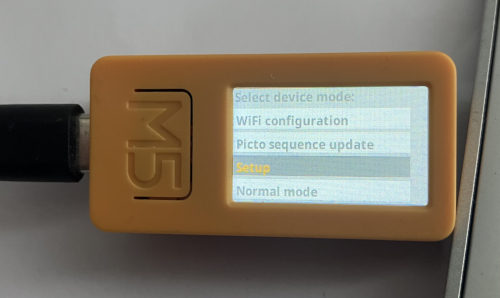
The PictoStick has a hidden on-device menu for caretakers to adjust core settings without needing a computer.
Accessing the Configuration Menu
To open the main configuration menu, press and hold Button B (the lower side button) for about 5 seconds while the device is on.
This will bring up a menu with several options. Use Button A and Button B to navigate up and down the list, and Button C (the large M5 button) to select an option.